For English and Japanese Pokémon cards
Snap a card.
See what it's worth.
1st Edition, Shadowless or Unlimited? GrailFox names the exact printing — and shows what that printing sells for.
No account · iPhone & Android



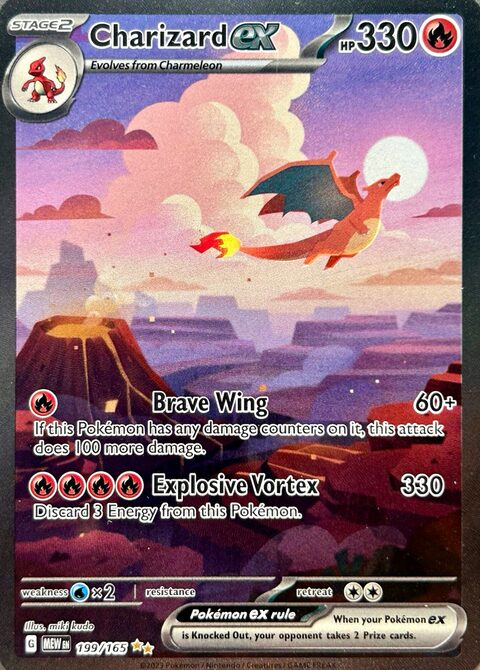
Exact match
Charizard ex
Scarlet & Violet 151 · 199/165
$368.83
Near Mint
TCGplayer market · updated 2 hours ago
Screen images simulated.
Same card. Three prices.
Two printings can look almost identical and sell for very different money. GrailFox tells them apart — and asks you when it can't.
When a photo genuinely fits more than one printing, the app shows you the candidates and lets you confirm the one in your hand. A scan it cannot identify never costs you anything.
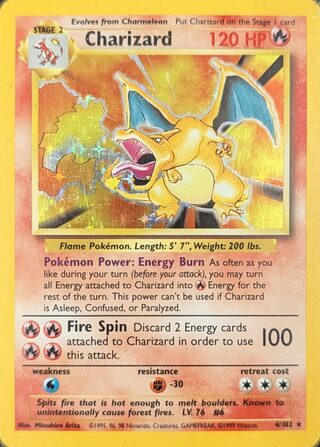
Which printing is it?
-
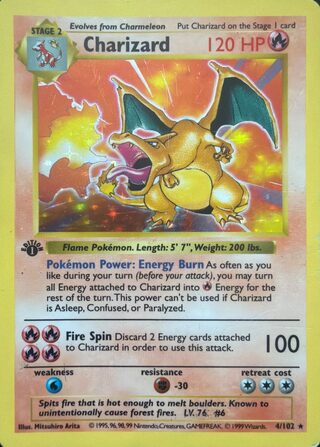
Base Set — 1st Edition
Charizard · 4/102
$11,450
-
Base Set — Shadowless
Charizard · 4/102
$1,760
-
Base Set — Unlimited
Charizard · 4/102
$412
Shadowless printings have no drop shadow on the art box.
Confirm this printing
Screen images simulated.
Three taps. One exact answer.
-
Snap it
Hold the phone flat and fill the frame. One card at a time, sleeve on or off.
-
Confirm the print
Set, collector number and printing — checked against the catalog, and when two printings fit, you pick.
-
See the price, keep the card
Market value by condition, with its source and how fresh it is. Add it to your collection in one tap.
“A confidently wrong card is worse than an honest ‘I don't know.’”
-
Not sure? We ask.
When a photo fits more than one printing, the app shows you the candidates and you confirm the one in your hand.
-
A failed scan is free.
If a card can't be identified, nothing is counted or charged.
-
Every result shows its price's source.
The market it comes from and how long ago it was updated, next to the number.
Your collection, always valued.
- Everything in one place, sorted by value, name or when you added it
- Values that track the market, with the source and update time shown
- Condition and quantity recorded per card
Collection
Estimated collection value
$1,486.30
RecentValueName
-
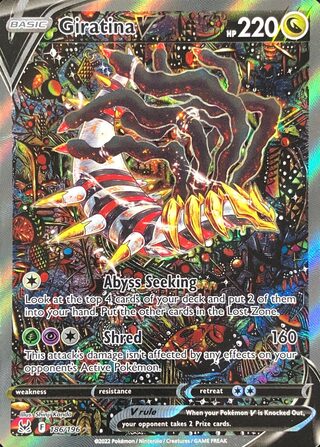
Giratina V (Alternate Full Art)
SWSH11: Lost Origin
$822.07
-
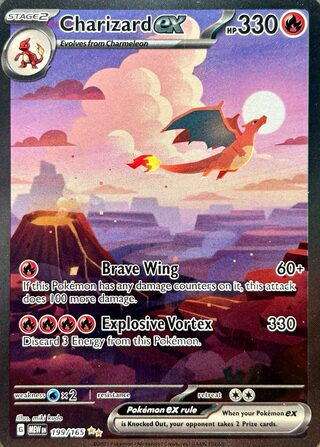
Charizard ex - 199/165
SV: Scarlet & Violet 151
$368.83
-
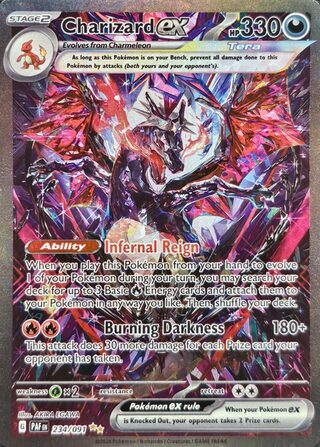
Charizard ex - 234/091
SV: Paldean Fates
$281.13
-
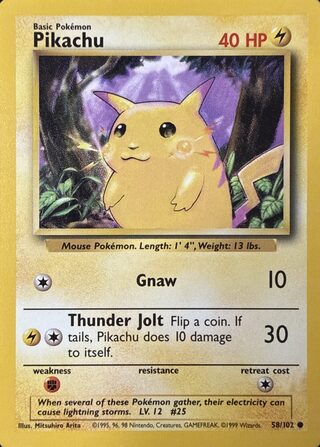
Pikachu
Base Set
$14.27
Screen images simulated.
Plans and prices.
Free trial
3days free, then Pro
New subscribers may get a 3-day free trial of Pro where the store offers one. When the trial ends, the plan you chose is charged unless you cancel before then — on the App Store, at least 24 hours before. A scan that fails to identify a card costs you nothing.
Single scan
$0.99one time, US price
One scan credit. It buys your next scan, not the result of a scan you have already taken.
Pro
$39.99/ year, or $4.99 / week, US prices
Up to 500 scans a month on either plan. Billed through the App Store or Google Play, cancel any time.
The figures above are the United States App Store prices, shown as a guide. Apple sets a price for every country and charges you in your own currency, and on Android Google Play likewise sets the local price and charges you in your currency; we add nothing to either. Where a sales tax applies on top of a listed price, as in the United States, the store adds it. Purchases are handled by Apple and appear on your Apple ID, or by Google Play and appear on your Google account on Android.
Questions
Which cards does it work with?
Pokémon trading cards in English, from Base Set through the current sets, and in Japanese. Set symbols, collector numbers and printing variations are all part of the match, which is why a card is identified as a specific print rather than just a name.
How accurate is it?
The goal is the exact print, not a close guess. Most cards resolve to a single printing. When a photograph genuinely fits more than one — the difference between two printings can be a shadow behind an art box — the app shows you the candidates and asks you to confirm rather than picking one for you.
Does it work with vintage cards?
Yes. Older sets are where printing differences matter most, so vintage cards are treated with the same rule as everything else: if two printings are plausible, you are asked which one you are holding.
Is it on Android?
Yes. GrailFox is on Google Play for Android phones and on the App Store for iPhone.
Does it work with Japanese cards?
Yes — GrailFox recognises English and Japanese Pokémon cards. Japanese cards are priced from TCGplayer's Japanese listings, in US dollars. Other languages are not in its catalog yet.
Do you keep my photos?
No — we never keep one. Your photo reaches our server, which passes it to OpenAI, our recognition provider, to identify the card, and writes it nowhere: no copy on our servers or in our logs. We keep what was read off the card and a few measurements of the photo, such as its size and how sharp it is, with your scan history; the photo cannot be rebuilt from them. Under our current settings OpenAI may also use it to improve its services, including training its models. The photo of a card you add stays on your phone. So do the photos of a series you are scanning, until the series ends: the app deletes them at once when you discard it or when an add leaves nothing in it, and, after seven days without use, the next time it opens and finds the series gone. Until then they are in your device backup if you use one. The Privacy Policy has the details.
Do I need an account?
No. There is nothing to sign up for. Your collection is held in an account on our server that is tied to a random identifier and to nothing else about you, and purchases are tied to your Apple ID or Google account.
What happens if it can't identify my card?
Nothing is charged. A scan that fails to identify a card is not counted against your scans, and the app suggests what to change about the photograph before you try again.